Designing a crystal-clear dashboard for CHS's producers to manage their business.
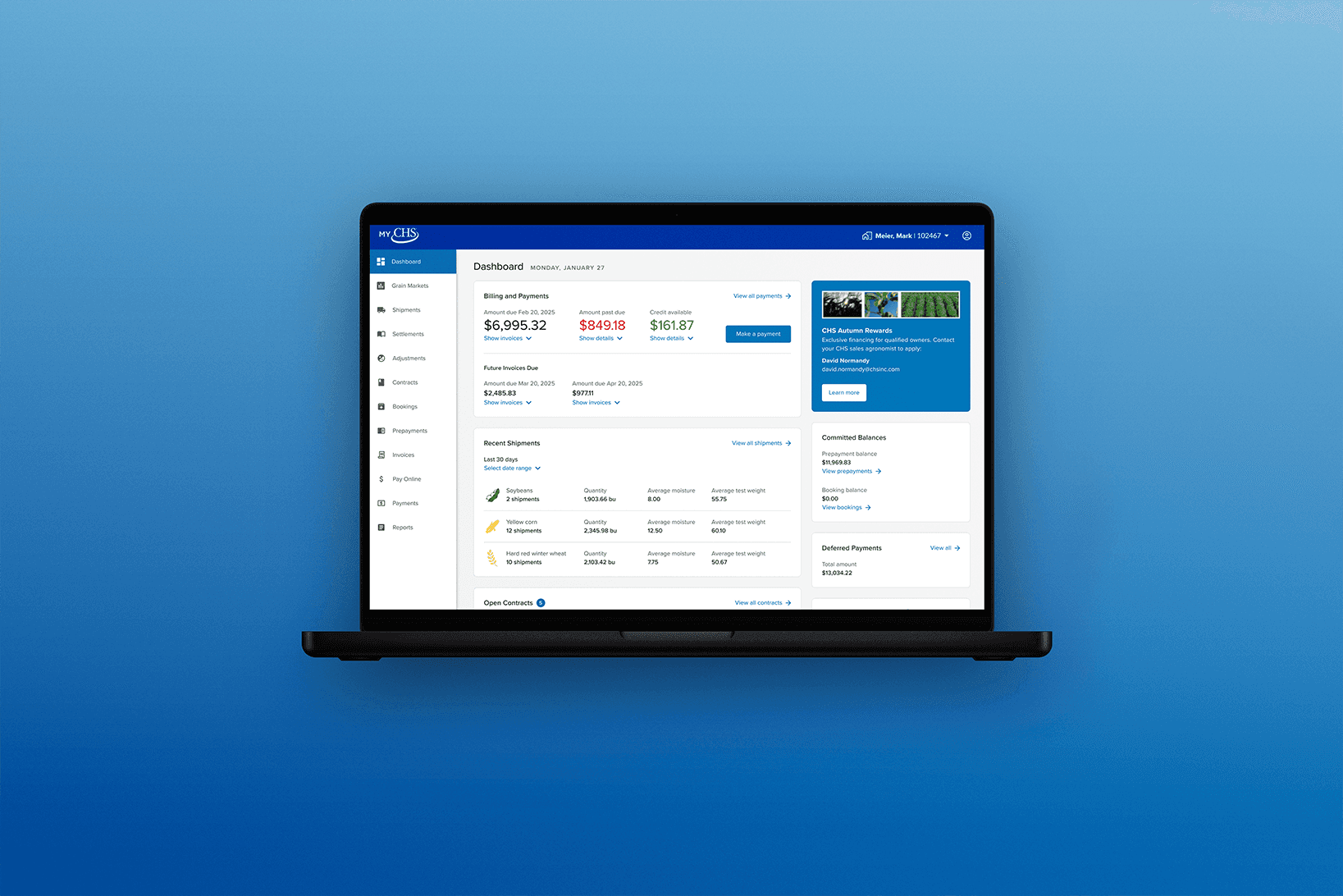
The MyCHS app needed to communicate important information more clearly.
Client
CHS Inc.
Industry
B2C
Agriculture
Services
Product design
Platform
Web app
Mobile app
My role
Lead product designer
Timeline
Nov 2024 - June 2025
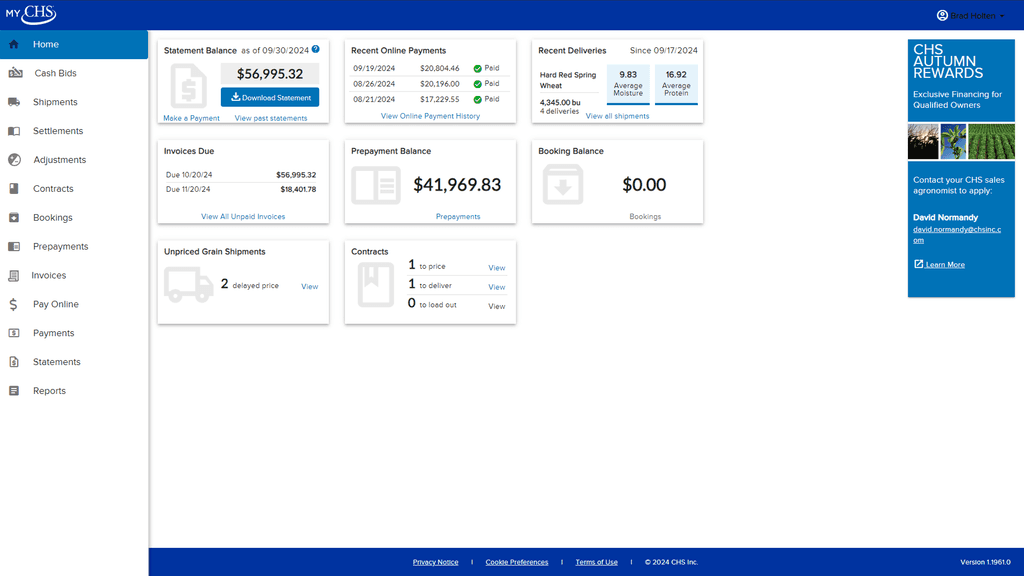
The MyCHS product team heard from producers (our customers) that they were confused about how much money they owed for services. Customer interviews and behavior analytics revealed that the dashboard design had some pain points we could solve beyond this original issue. These included:
The amount owed was confusing because of misleading terminology and data from the back-end not updating after payments were received.
Users ignoring the dashboard entirely in favor of using the navigation bar to find information and complete tasks.
The dashboard's information architecture and visual hierarchy were confusing.
As the lead product designer, I helped:
improve the information architecture, grouping and prioritizing relevant data
redesign and modernize the entire dashboard
utilize responsive design behavior across layout sizes
validate design decisions with producers
Clarifying terminology
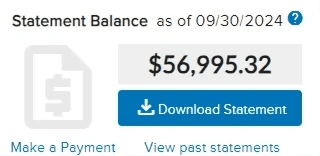
The statement balance was not as important to customers as knowing what they owe now.
Through customer interviews conducted to better understand the source of confusion, we learned a few things:
The 'Statement Balance' information was often out-of-date after customers had made payments.
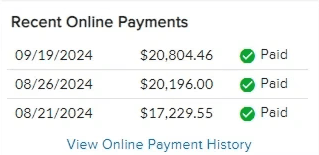
While the 'Recent Online Payments' card was helpful to see on the dashboard, it was often overlooked in relation to the bigger, bolder 'Statement Balance' information.
Customers wanted to immediately know what they owed without doing math in their heads from the displayed info
Optimizing Information Architecture
When all information is treated equally, none of it feels more important than the rest.
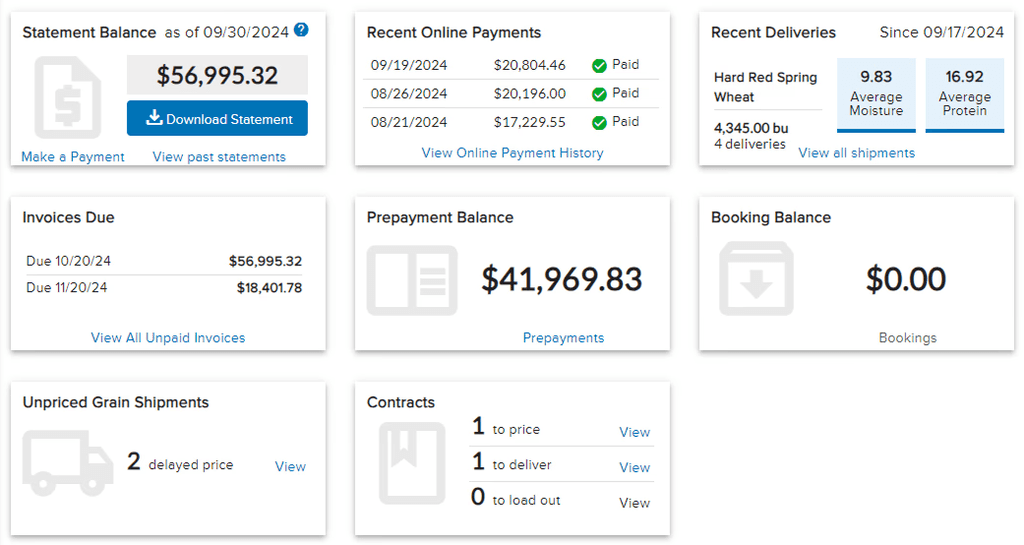
An immediate problem I identified in the layout of our dashboard was that every card was the same size and felt equal in importance despite some of the information being of lesser concern. Our customer behavior analytics showed certain pages and tasks were much more important. A few optimizations with our information architecture could be made:
Combining cards with related data could reduce the number of sections.
Placing highly-used cards into primary sections and seldomly-used cards into secondary sections could help users find what they need.
Improving Visual Hierarchy
Information that was less important was styled to appear as very important.
The visual styling of certain components made them feel much more important than necessary:
The largest fonts on the dashboard were the values for 'Prepayment Balance' and 'Booking Balance' which weren't as important as other data
The 'Download Statement' button stood out as the primary action on the dashboard, but it was seldomly used
'Make a Payment' is one of the most frequently used actions in MyCHS, but the button styling made it barely visible
The Solution
A modern dashboard influenced by customer feedback and analytics.
The updated MyCHS dashboard was presented to customers for validation testing before implementation began. It addressed the discovered pain points by:
creating new cards that intentionally highlighted the most important information.
organizing sections based on what's most important to the customer.
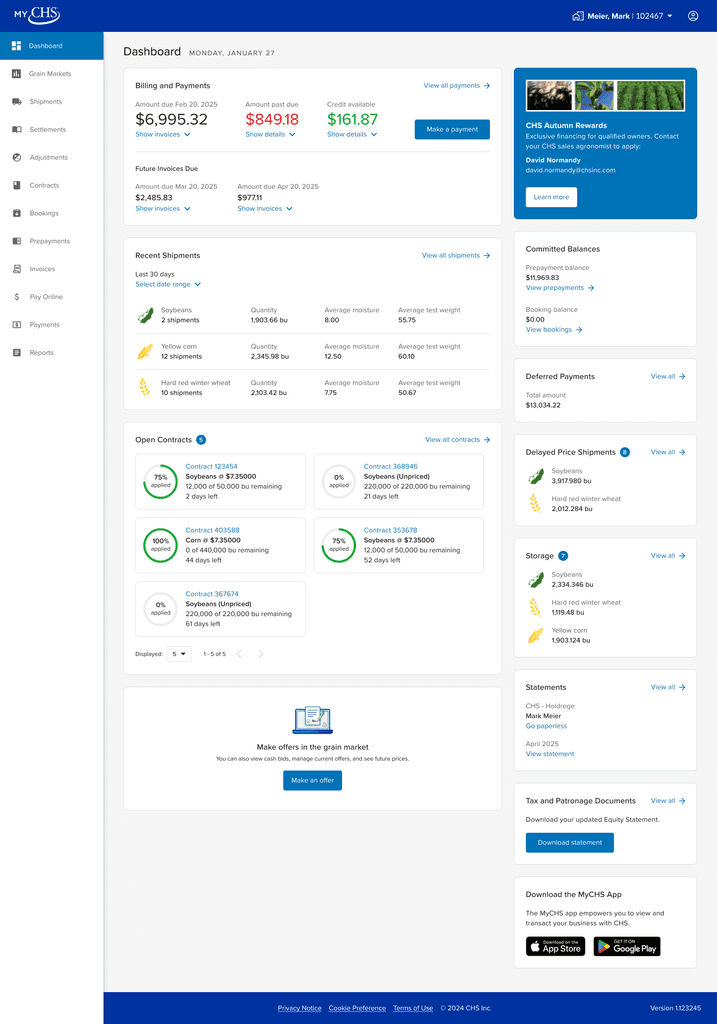
Dashboard design has a lot of complexity because there is typically so much information that needs to be presented at a high level. Without analytics, feedback, and generally knowing what's important to users, assumptions are made and are often wrong.
Thanks to the MyCHS product team for your flexibility, knowledge, and cooperative spirit! And thanks to our customers for their participation in the design process.